Social Home
Pricing
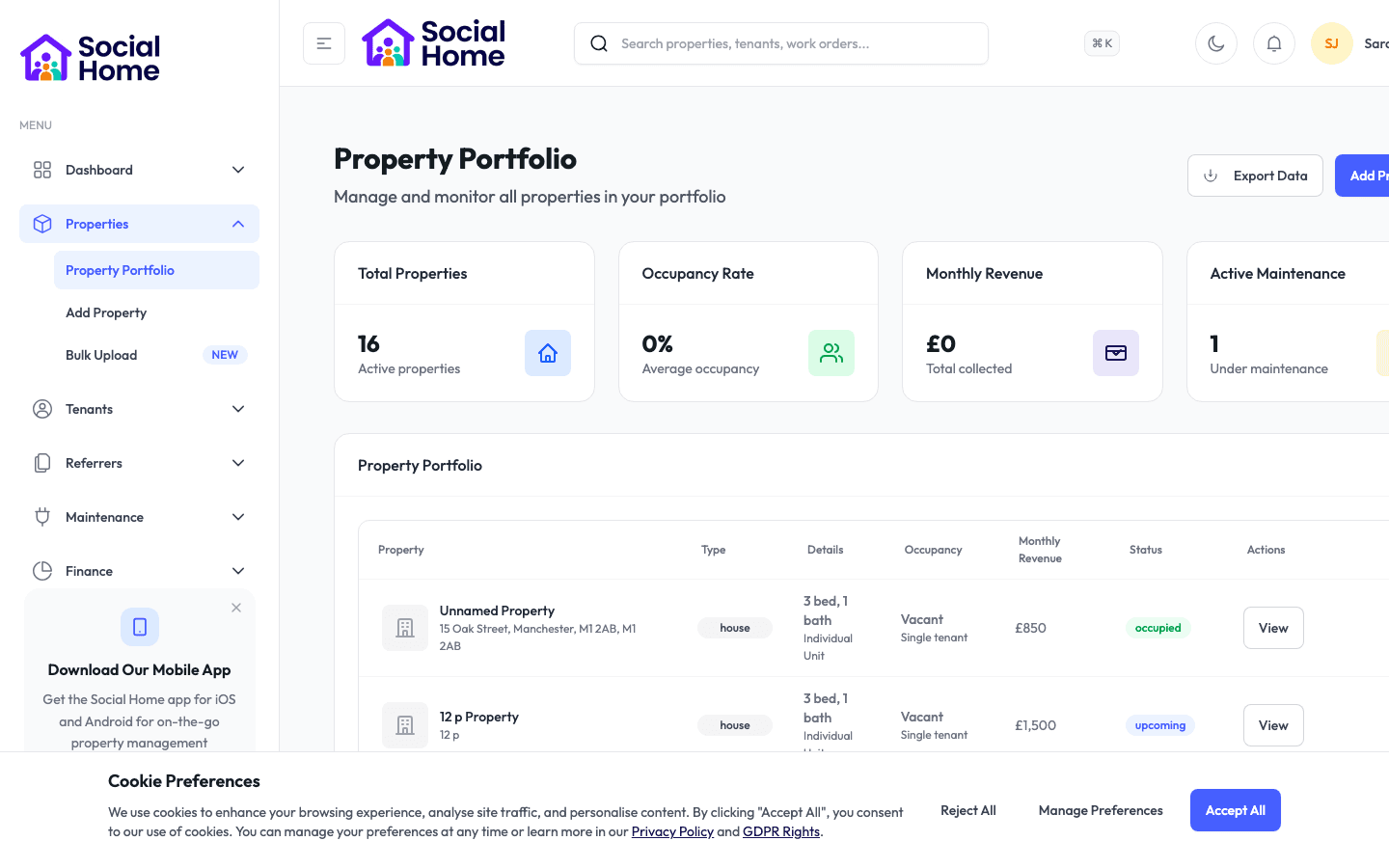
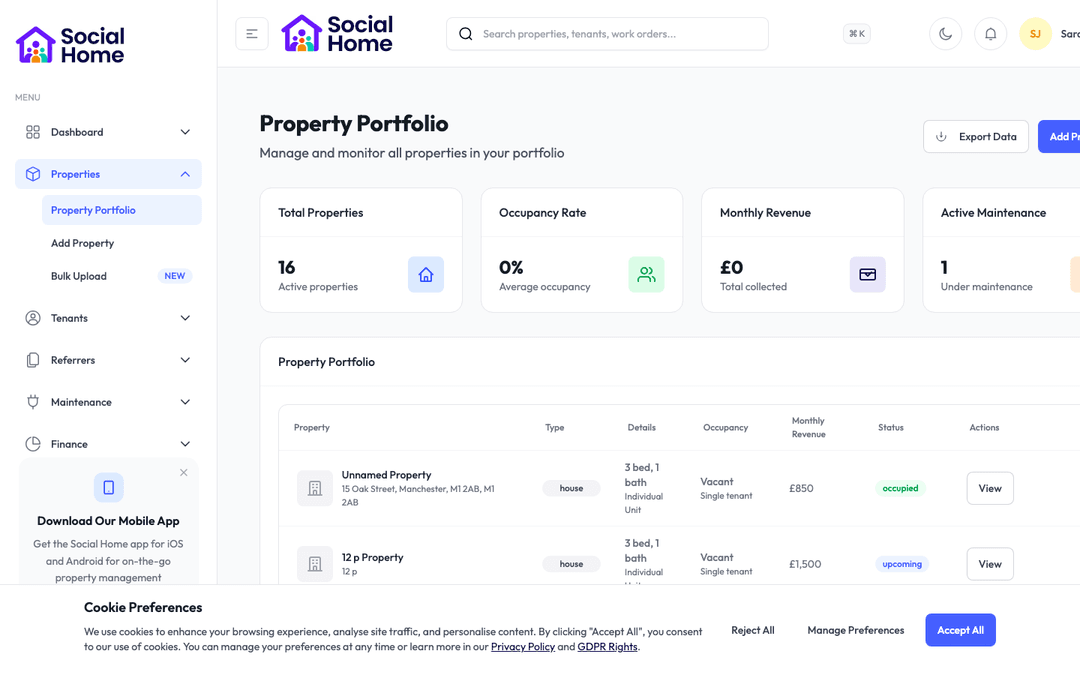
Property portfolio view with occupancy insights

Property managers & operations teams

Give the right person the right access at the right time

Issue time-limited access for tenants, contractors, viewings, and move-ins without handing keys around.

Keys slow everything down. They need collecting, returning, tracking, cutting, replacing, and chasing, and every handover creates another opportunity for delay or risk. Social Home’s access-code workflows help property teams manage modern access with more confidence. During move-in, a tenant can receive the details they need at the right stage. For contractors, a code can be limited to the appointment window. For viewings, access can be tied to the arranged time rather than shared informally. Managers get a clearer record of who was given access and why, while tenants and visitors get a smoother arrival experience. It is not about making access casual; it is about making it controlled, traceable, and far less dependent on someone being available to pass over a physical key.

See this feature in actionCompare alternatives
Time-limited access

Why teams invest

  • • Reduce key handovers across move-ins and repairs
  • • Limit access to the right time and purpose
  • • Give tenants and contractors clearer arrival instructions

Available on all devices

Access from your computer: full

Use on your mobile device: partial

Your team can work seamlessly whether they're in the office or out in the field. Everything stays in sync automatically, so you always have the latest information at your fingertips.

Pain point

Key handovers waste time

Every physical key creates coordination work. Someone has to be available, the visitor has to arrive on time, and the key has to come back. When that breaks down, repairs, viewings, and move-ins are delayed.

  • • Share access details without arranging a physical handover
  • • Reduce missed appointments caused by key logistics
  • • Give contractors and new tenants clearer arrival instructions
  • • Keep your team focused on the work, not the key trail

Pain point

Access can be too open-ended

A copied key or informally shared code can linger long after it should. That creates anxiety for tenants and risk for managers, especially when access was only needed for a short appointment.

  • • Use time-limited codes for appointments and move-ins
  • • Avoid permanent access where temporary access is enough
  • • Record why access was shared and who received it
  • • Protect tenant confidence with clearer boundaries

Pain point

Nobody knows who attended

When access is handled through phone calls and informal messages, the audit trail is weak. If a tenant asks who entered or a contractor misses an appointment, your team has to piece the story together.

  • • Keep access details linked to the property or job
  • • See which access instructions were issued
  • • Support contractor, viewing, and move-in workflows from one place
  • • Answer tenant questions with more confidence

Key capabilities

What you'll love about this feature

Move-ins without key chaos

Access details can become part of the move-in journey, alongside the checklist, inventory, welcome pack, and house rules. Tenants know when and how they can enter, and managers know the handover was controlled.

  • • Share access at the right stage of the tenant journey
  • • Keep arrival instructions close to the welcome information
  • • Reduce move-in day calls about keys and entry
  • • Give tenants a smoother first arrival

What this means for you: less move-in friction and a more professional first impression.

Contractor access that respects tenant trust

Repairs and inspections often need access, but tenants still need to feel protected. Time-limited access lets you support the appointment without creating open-ended entry.

  • • Issue access for a defined appointment window
  • • Link access to the relevant repair, inspection, or task
  • • Avoid unnecessary key collection and return trips
  • • Keep tenants informed about who is expected and why

What this means for you: faster repairs without making access feel loose or unmanaged.

Viewing and short-stay access under control

When a property is being viewed, turned around, or used for short stays, access needs to be convenient but controlled. Social Home helps teams keep those access moments tied to the right person and time.

  • • Support scheduled access for viewings and arrivals
  • • Reduce informal code sharing between staff and visitors
  • • Keep access instructions organised by property
  • • Give operations teams a clearer handover record

Time-saving benefits

Remove the repeated admin around keys

Access-code workflows reduce the small coordination tasks that add up across a portfolio. Instead of arranging handovers, chasing returns, and forwarding instructions manually, teams can manage access as part of the wider property journey.

  • • Access can be prepared alongside move-in and contractor workflows
  • • Instructions stay connected to the relevant property or appointment
  • • Temporary access reduces the need for copied physical keys
  • • Teams get a clearer record without extra spreadsheets

Real-world scenarios

See how this works in practice

Scenario: a contractor needs morning access

A heating engineer is booked for 9am. Instead of collecting keys from the office, they receive time-limited access linked to the repair. The tenant knows who is expected, and your team has the access record tied to the job.

  • • Fewer delayed repairs due to key collection
  • • Access is limited to the appointment
  • • The job record has clearer context

Scenario: a tenant arrives after office hours

A new tenant reaches the property after the office has closed. Their move-in information includes the access details they need, alongside the welcome pack and house rules, so arrival still feels organised.

  • • A smoother first arrival for tenants
  • • Fewer emergency calls about entry
  • • Move-in access stays part of the official journey

See it in action

Real screenshots from Social Home

These screenshots show exactly what you'll see when you use this feature. Every detail is designed to make your work easier and more efficient.

Property portfolio view with occupancy insights
Maintenance and compliance task board
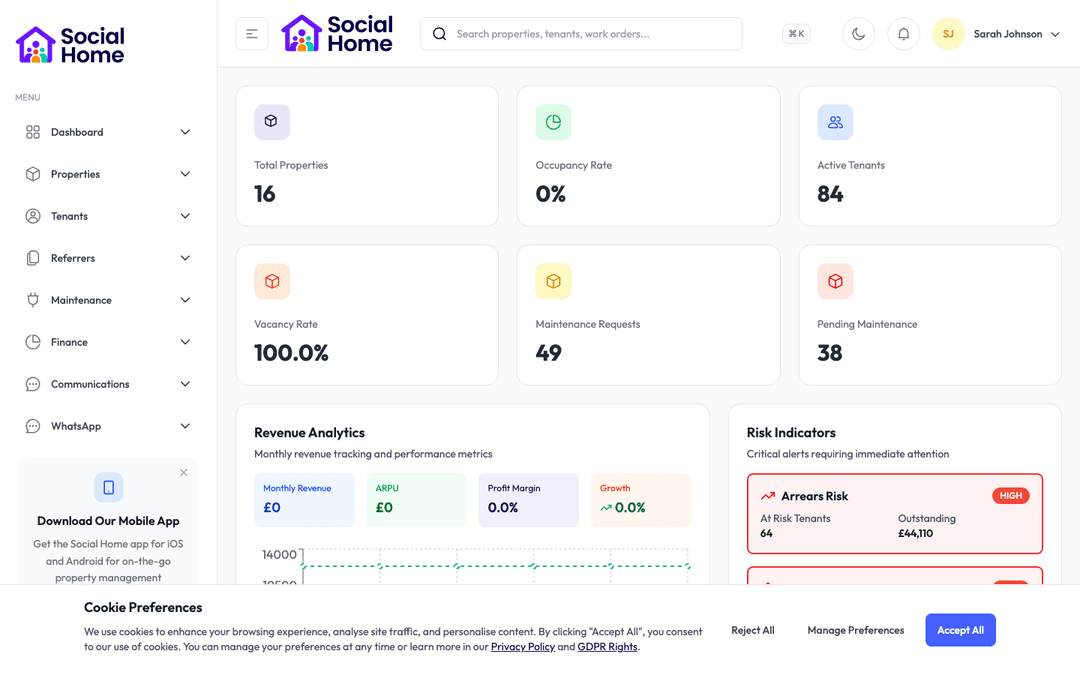
Admin dashboard overview with KPIs and alerts

Customer perspective

“The practical difference is huge. Contractors can attend without waiting for someone to meet them, and new tenants are not left standing outside calling the office. Access feels smoother but also more controlled.”

Martin Hughes — Property Operations Lead

FAQs

Everything teams ask before they sign

Can access be limited to a specific time?

Yes. Access-code workflows are designed for situations where entry should only be available for a defined period, such as contractor appointments, viewings, arrivals, or move-in windows.

Does this replace all physical keys?

Not necessarily. Many teams still keep physical keys for backup and emergency access. The value is reducing unnecessary handovers and giving temporary visitors a more controlled way to enter when a code is appropriate.

Can access codes be used with move-in workflows?

Yes. Access details can sit alongside move-in checklists, welcome packs, house rules, and inventory records, giving tenants a joined-up arrival experience and your team a clearer handover record.

How quickly can we get started?

Most teams are up and running within a week. We provide comprehensive onboarding support, including training sessions for your team, data migration assistance, and dedicated support to ensure a smooth transition. You can start using the platform immediately while we help you import your existing data.

Back to all features →Move-In Checklist & InventorySmart Locks & AccessContractor Management

Ready to Transform Your Access Codes?

See how access codes can transform your operations and help you serve your tenants better. Get started with the Social Home platform today.

Book a Free DemoTalk to SalesSee Pricing

See the workflow, discuss your setup, and choose the right plan for your team

Social HomeSocial Home

Making property management simple and accessible for everyone. Find your perfect home or manage your properties with ease.

Stay Updated

Prefer to explore on your own? Browse the platform features →

Rental Services

  • Find rentals
  • Pricing
  • Jobs
  • Contact

Resources & Guides

  • Blog
  • Resources
  • Social Housing Software
  • HMO Compliance Software
  • Exempt Accommodation
  • Supported Housing Software
  • Planning Permissions
  • BRR Calculator
  • Compare Solutions
  • Tenant Portal
  • Landlord Energy
  • Planning Search

Platform Features

  • Feature overview
  • Property management
  • Tenant management
  • Maintenance & repairs
  • Compliance & safeguarding
  • AI insights & automation
  • Mobile workforce app
  • Mobile App
  • Manage Properties
  • Council Partners
  • Success Stories

Terms & Privacy

  • Trust & Safety
  • Terms of Service
  • Privacy Policy
  • GDPR Rights
  • Disclaimer
  • Subscription Terms
  • Request account deletion
  • Social Housing Providers
  • Supported Living
  • Find Work
  • AI Transparency

Get the Social Home app

Download on the App StoreDownload on the App StoreGet it on Google Play

Google Play and the Google Play logo are trademarks of Google LLC.

© 2026 Social Home. All rights reserved.

InstagramLinkedIn
Built by Veya