Social Home
Pricing
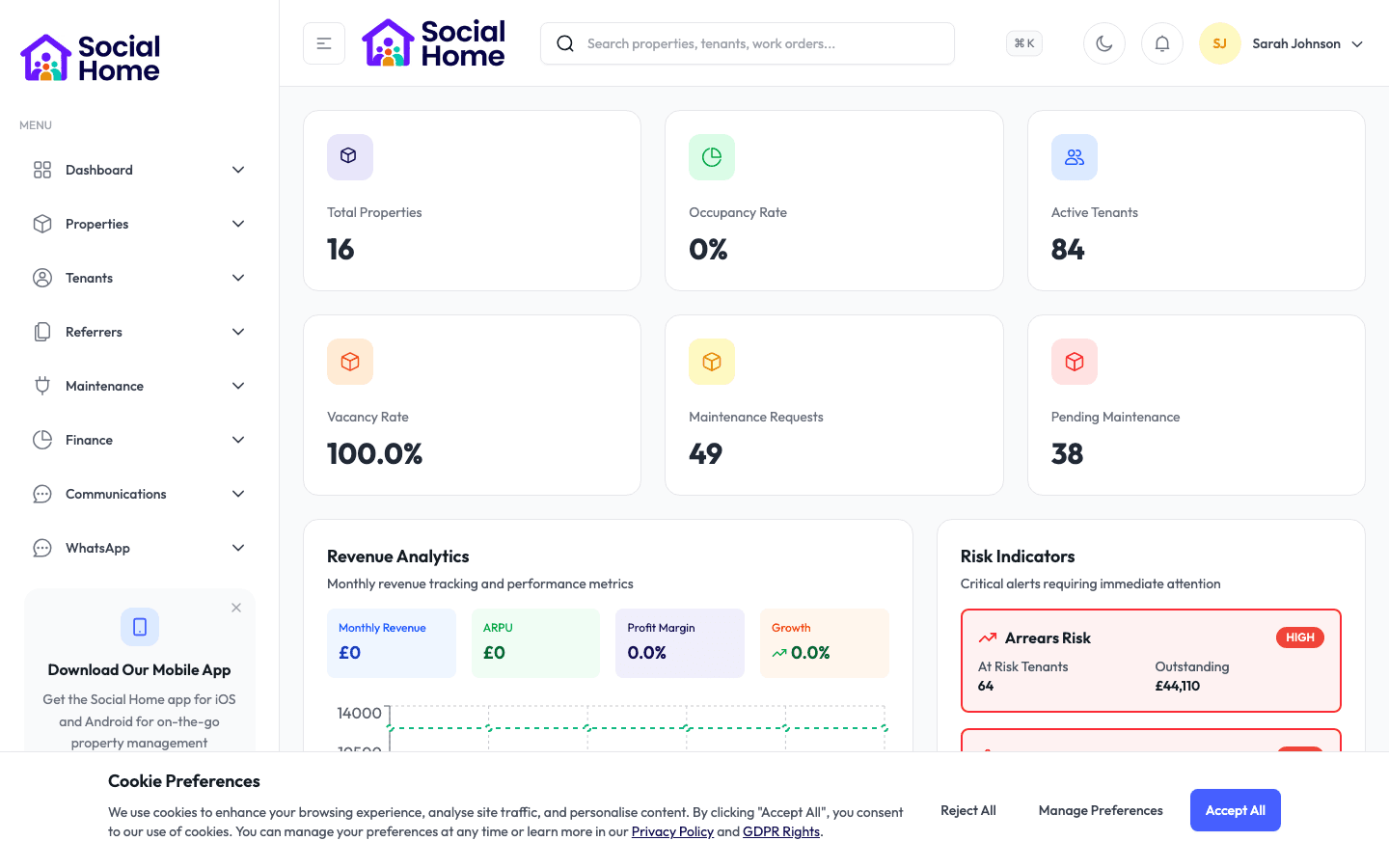
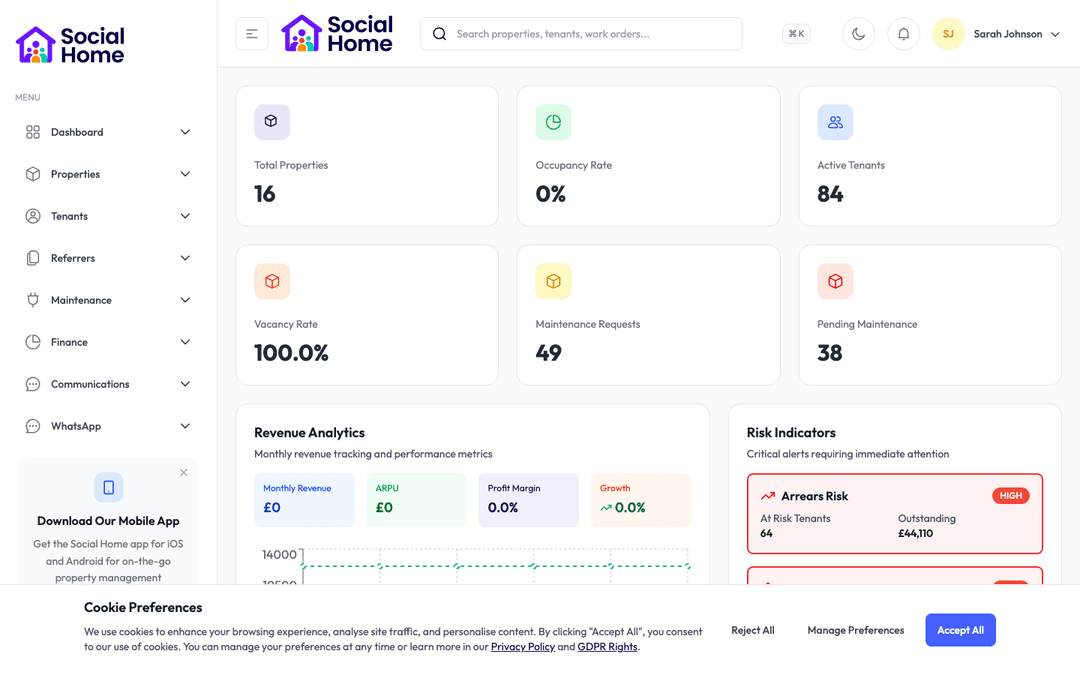
Admin dashboard overview with KPIs and alerts

Field teams & regional managers

Give field teams the full picture before they knock

Housing officers, inspectors, and maintenance teams can capture visits, photos, notes, and updates wherever the work happens.

Your field teams should not have to start every visit by phoning the office for context. Social Home’s mobile experience gives officers, inspectors, and repairs teams the information they need on the move: tenant context, property details, assigned tasks, messages, photos, inspection notes, and maintenance updates. When signal is weak, staff can still capture the work and sync it later. Managers get faster visibility, tenants get better-informed visits, and your team avoids the end-of-day admin pile-up that comes from paper notes and duplicated updates.

See this feature in actionCompare alternatives
Work continues offline

Why teams invest

  • • Reduce end-of-day admin
  • • Keep property records current from the field
  • • Give officers better context before every visit

Available on all devices

Access from your computer: partial

Use on your mobile device: full

Your team can work seamlessly whether they're in the office or out in the field. Everything stays in sync automatically, so you always have the latest information at your fingertips.

Pain point

Visit notes get written twice

Officers often capture information on paper, in their phone notes, or in photos that need sorting later. By the time they return to the office, details are harder to remember and updates can be delayed for hours.

  • • Capture notes, photos, and outcomes during the visit
  • • Update tasks before leaving the property
  • • Reduce end-of-day admin and duplicated typing
  • • Keep the office informed without a follow-up phone call
Pain point

Field teams arrive without enough context

A visit can go badly if the officer does not know about recent arrears, safeguarding notes, repairs, or previous conversations. Without the latest context, staff ask tenants to repeat themselves and may miss important risks.

  • • See key tenant and property details before the visit starts
  • • Check recent communications, open tasks, and known risks
  • • Receive important alerts while out in the field
  • • Give tenants a more prepared and professional experience

Pain point

Poor signal slows real work down

Many visits happen in stairwells, older buildings, and neighbourhoods where mobile signal is unreliable. If the app only works perfectly online, staff fall back to paper and the record becomes fragmented again.

  • • Continue capturing notes and photos when signal drops
  • • Sync updates once the connection returns
  • • Reduce missed evidence from inspections and repairs
  • • Give managers a clearer view even when teams work remotely

Key capabilities

What you'll love about this feature

A worklist built for the day ahead

Field teams start with a clear view of assigned visits, inspections, tasks, and urgent alerts. They can prioritise the day, update progress, and move between jobs without digging through emails.

  • • See assigned tasks, visits, and inspections in one place
  • • Filter by status, urgency, or location
  • • Open the tenant or property context from the task
  • • Update progress as the work happens

Maintenance capture with evidence attached

When staff notice a repair issue, they can record it immediately with photos, notes, and priority. The repair starts with better evidence, and contractors get clearer information from the beginning.

  • • Create or update repair requests from the property
  • • Attach photos and notes while the issue is in front of you
  • • Record urgent risks before leaving site
  • • Give repairs teams a clearer starting point

Messages and alerts that travel with the team

Important updates should reach staff wherever they are. Mobile alerts, tenant messages, and team updates help everyone respond faster without waiting until someone gets back to a laptop.

  • • Receive urgent repair, safeguarding, and task updates
  • • Message tenants or teammates from the field
  • • See when a conversation needs a reply
  • • Keep managers informed without extra status calls

Time-saving benefits

Save 7 hours a week on visit admin

The mobile workflow reduces the gap between doing the work and recording the work. Notes, photos, visit outcomes, and task updates are captured once, in the moment, then kept in sync with the wider platform.

  • • Visit notes sync to the right tenant or property record
  • • Photos stay attached to inspections, repairs, or case files
  • • Task updates appear for managers without manual reporting
  • • Offline drafts sync when the team reconnects

Real-world scenarios

See how this works in practice

Scenario: A housing officer attends a support visit

Before entering the property, the officer checks the tenant’s recent communications, open actions, and any sensitive notes they are permitted to see. During the visit they capture outcomes and add a follow-up task. The manager can see the update the same day, without waiting for handwritten notes to be typed later.

  • • Better-prepared visits with less tenant repetition
  • • Follow-up actions captured before they are forgotten
  • • Managers see progress faster

Scenario: An inspector finds a repair during a room check

The inspector spots a damp patch while signal is poor. They take photos, add notes, mark the repair as urgent, and continue the inspection. When signal returns, the evidence syncs and the repairs team has the details needed to act.

  • • No lost evidence because signal dropped
  • • Repairs start with photos and context
  • • The property record stays current without duplicate admin

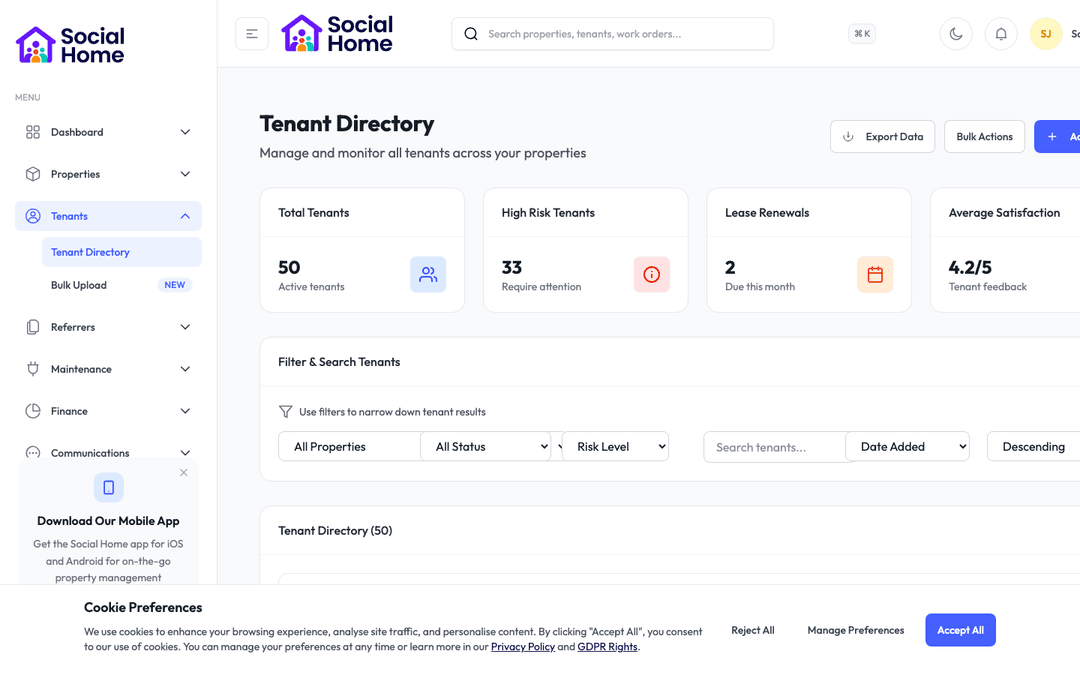
See it in action

Real screenshots from Social Home

These screenshots show exactly what you'll see when you use this feature. Every detail is designed to make your work easier and more efficient.

Admin dashboard overview with KPIs and alerts
Maintenance and compliance task board
Tenant record with communications and case context

Customer perspective

“Housing officers finally have the same context in the field as they do in the office. They capture notes and photos during the visit, and managers see updates without waiting for end-of-day paperwork.”

Samuel Hayes — Regional Manager, HomesNorth

FAQs

Everything teams ask before they sign

Does the mobile app work when signal is poor?

Yes. Field teams can continue capturing key notes, photos, and updates when connection is unreliable, then sync once they are back online. This is especially useful during property visits, inspections, and repairs where signal can be patchy.

Which staff roles benefit most from mobile access?

Housing officers, inspectors, repairs coordinators, contractors, regional managers, and anyone who spends time away from a desk can benefit. The experience focuses on the information and actions people need in the field, rather than asking them to use a desktop workflow on a small screen.

Can mobile users see sensitive tenant information?

Only when their permissions allow it. Sensitive information such as safeguarding, arrears, or support notes can be controlled by role, so staff have enough context to work safely without exposing information unnecessarily.

How quickly can we get started?

Most teams are up and running within a week. We provide comprehensive onboarding support, including training sessions for your team, data migration assistance, and dedicated support to ensure a smooth transition. You can start using the platform immediately while we help you import your existing data.

What training and support do you provide?

We offer comprehensive training for all team members, including live training sessions, video tutorials, and detailed documentation. Our support team is available via email, phone, and in-app chat. Plus, you'll have access to our knowledge base with step-by-step guides for every feature.

Back to all features →Tenant ManagementMaintenance & RepairsCommunications Hub

Ready to Transform Your Mobile Workforce?

See how mobile workforce can transform your operations and help you serve your tenants better. Get started with the Social Home platform today.

Book a Free DemoTalk to SalesSee Pricing

See the workflow, discuss your setup, and choose the right plan for your team

Social HomeSocial Home

Making property management simple and accessible for everyone. Find your perfect home or manage your properties with ease.

Stay Updated

Prefer to explore on your own? Browse the platform features →

Rental Services

  • Find rentals
  • Pricing
  • Reviews
  • Jobs
  • Contact

Resources & Guides

  • Blog
  • Resources
  • Social Housing Software
  • HMO Compliance Software
  • Exempt Accommodation
  • Supported Housing Software
  • Planning Permissions
  • BRR Calculator
  • Compare Solutions
  • Tenant Portal
  • Landlord Energy
  • Planning Search

Platform Features

  • Feature overview
  • Property management
  • Tenant management
  • Maintenance & repairs
  • Compliance & safeguarding
  • AI insights & automation
  • Mobile workforce app
  • Mobile App
  • Manage Properties
  • Council Partners
  • Success Stories

Terms & Privacy

  • Trust & Safety
  • Terms of Service
  • Privacy Policy
  • GDPR Rights
  • Disclaimer
  • Subscription Terms
  • Request account deletion
  • Social Housing Providers
  • Supported Living
  • Find Work
  • AI Transparency

Get the Social Home app

Download on the App StoreDownload on the App StoreGet it on Google Play

Google Play and the Google Play logo are trademarks of Google LLC.

© 2026 Social Home. All rights reserved.

InstagramLinkedIn
Built by Veya