Social Home
Pricing
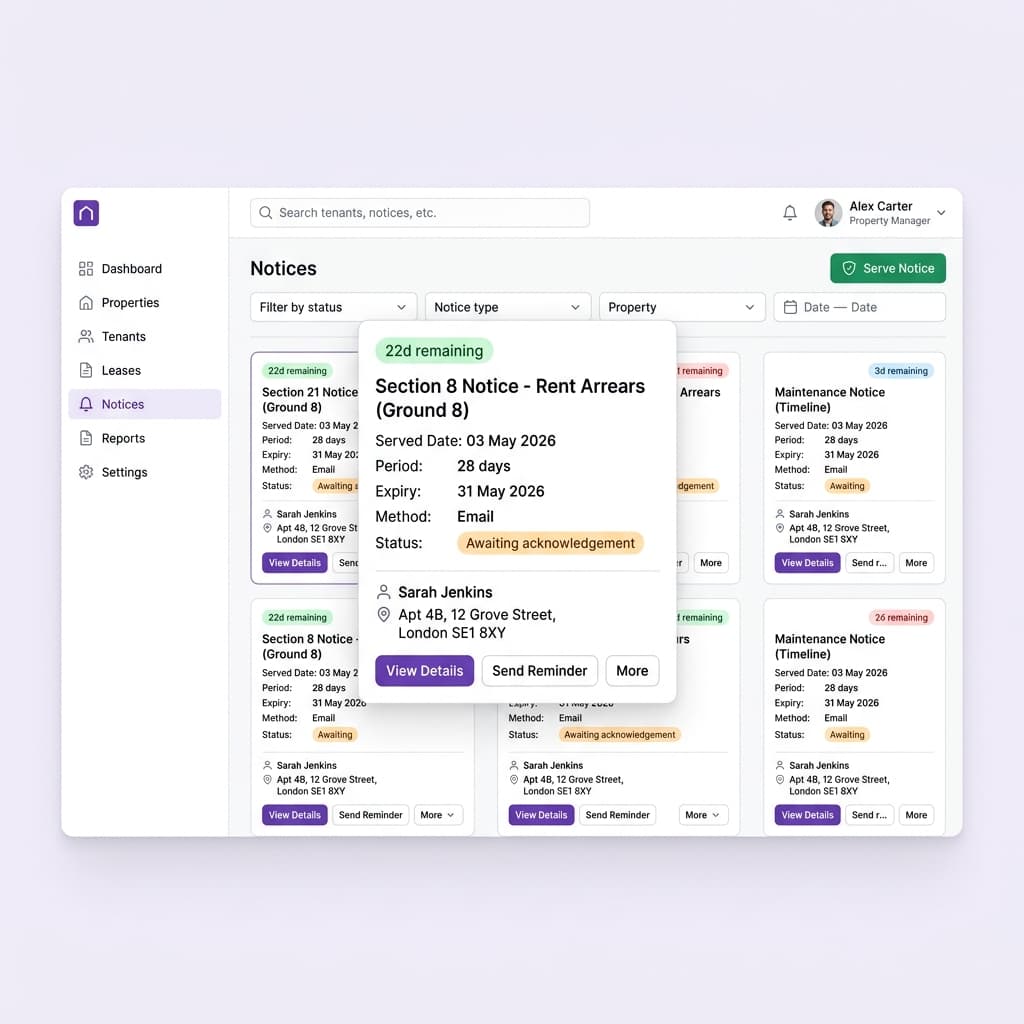
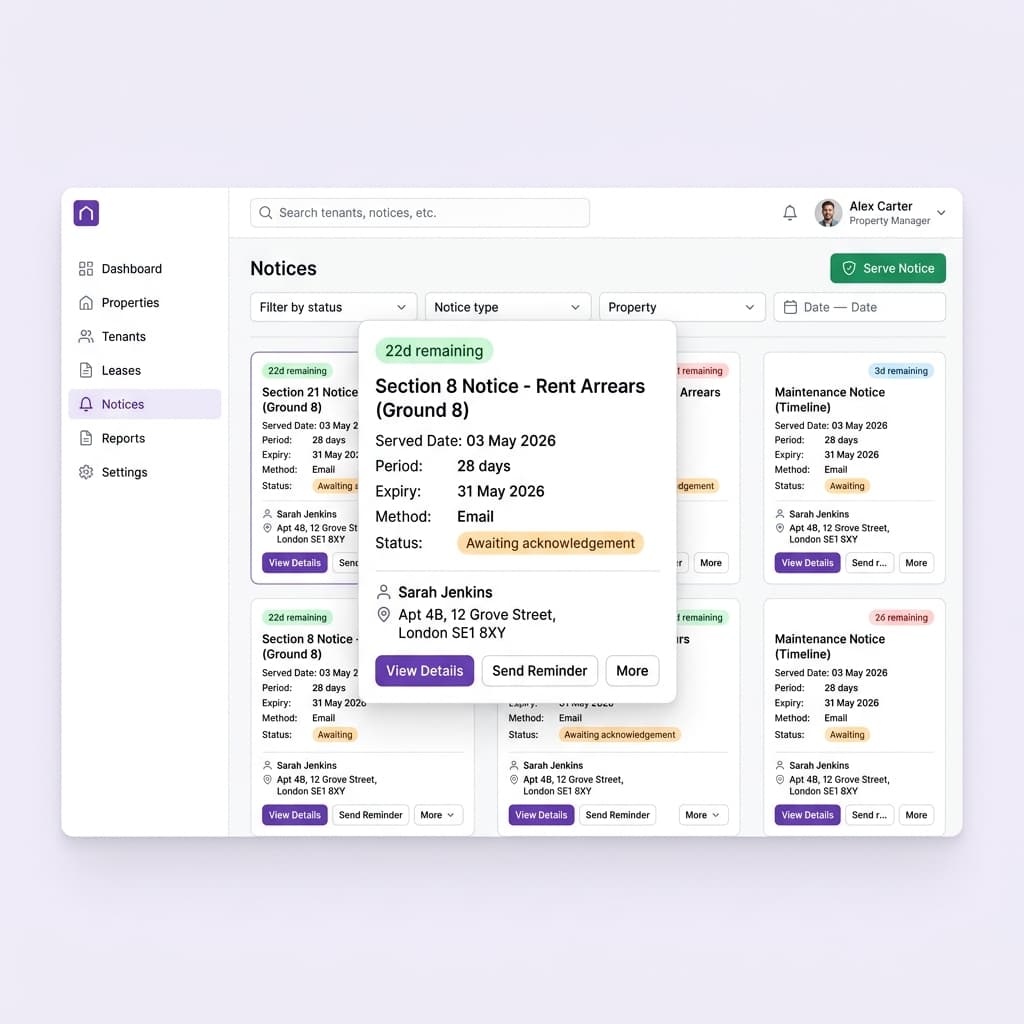
Tenant notices tab with statutory notice cards, expiry countdowns, and RRA 2025 compliance

Lettings & legal teams

Generate, send, and sign tenancy agreements in minutes

Create legally sound ASTs and other agreements from templates, then collect e-signatures, all in one flow.

Drafting tenancy agreements in a word processor, printing them, chasing wet signatures, and filing the scans is slow and risky. Social Home turns the whole thing into a few clicks. Choose the right template, whether an assured shorthold tenancy, an HMO room agreement, a social housing tenancy, or a supported-living agreement, and the tenant and property details fill themselves in. The wording reflects current UK legislation, so you are not relying on an out-of-date template someone saved years ago. Send it for secure electronic signature, watch the status, and store the signed copy against the tenancy automatically. Every agreement is version-controlled and audit-ready, so renewals, references, and disputes are simple. It is faster for your team and a far better experience for tenants.

See this feature in actionCompare alternatives
Sign tenancies the same day

Why teams invest

  • • Generate compliant agreements in minutes
  • • Collect secure e-signatures the same day
  • • Store every signed copy audit-ready

Available on all devices

Access from your computer: full

Use on your mobile device: partial

Your team can work seamlessly whether they're in the office or out in the field. Everything stays in sync automatically, so you always have the latest information at your fingertips.

Pain point

Drafting agreements by hand is slow and risky

Copying details into a word document invites typos and missed clauses, and an old template can leave you with wording that no longer reflects the law.

  • • Pick a template and details fill in automatically
  • • Wording reflects current UK tenancy legislation
  • • No copy-paste errors or missing clauses
  • • Consistent agreements across your whole team

Pain point

Chasing wet signatures wastes days

Printing, posting, or arranging to meet for signatures delays move-ins and ties up your team in admin that adds no value.

  • • Send for secure e-signature in one click
  • • Tenants sign on any device, wherever they are
  • • See live status: sent, viewed, signed
  • • Sign and complete on the same day

Pain point

Signed copies get lost or scattered

When signed agreements live in inboxes and shared drives, finding the right version at renewal or in a dispute is a hunt, and a missing copy is a real liability.

  • • Signed copies stored against the tenancy automatically
  • • Version control so you always have the right one
  • • Full audit trail of who signed and when
  • • Instant retrieval at renewal or in a dispute

Key capabilities

What you'll love about this feature

Templates for every tenancy type

From assured shorthold tenancies to HMO room agreements, social housing tenancies, and supported-living agreements, the right template is ready and pre-populated with your details.

  • • Multiple agreement types out of the box
  • • Tenant and property details auto-filled
  • • Per-company branding on every document
  • • Wording kept current with legislation

Secure e-signatures, end to end

Send an agreement for signature and Social Home handles the rest, a guided signing experience for the tenant, live status for you, and a tamper-evident record once it is done.

  • • Guided, scroll-to-sign experience for tenants
  • • Sign on phone, tablet, or computer
  • • Real-time status tracking
  • • Tamper-evident, legally robust records

Organised and audit-ready

Every signed agreement is filed against its tenancy with full version history, so renewals, references, and any future dispute are quick to handle.

  • • Signed PDFs stored with the tenancy
  • • Complete signing audit trail
  • • Easy renewals from the previous agreement
  • • Evidence ready if you ever need it

Time-saving benefits

From template to signed in one flow

Social Home connects generation, sending, signing, and storage into a single automated flow, so creating a compliant, signed tenancy agreement takes minutes and needs no manual filing.

  • • Agreements auto-populate from tenant and property records
  • • Signature requests and reminders send automatically
  • • Signed copies file themselves against the tenancy
  • • Renewals reuse the prior agreement with updated terms

Real-world scenarios

See how this works in practice

Scenario: A new tenant is ready to move in

You select the assured shorthold tenancy template, the tenant and property details are already there, and you send it for signature. The tenant signs on their phone within the hour, the signed copy files itself against the tenancy, and the move-in goes ahead the same day.

  • • Same-day completion instead of a multi-day wait
  • • A consistent, compliant agreement every time
  • • No manual filing of the signed copy

Scenario: A tenancy comes up for renewal

Rather than rebuilding the agreement, you generate a renewal from the previous one with updated terms, send it for signature, and store the new signed version, with the full history of both kept against the tenancy.

  • • Renew in minutes from the existing agreement
  • • Keep a clear history of every version
  • • No gaps in your documentation

See it in action

Real screenshots from Social Home

These screenshots show exactly what you'll see when you use this feature. Every detail is designed to make your work easier and more efficient.

Tenant notices tab with statutory notice cards, expiry countdowns, and RRA 2025 compliance
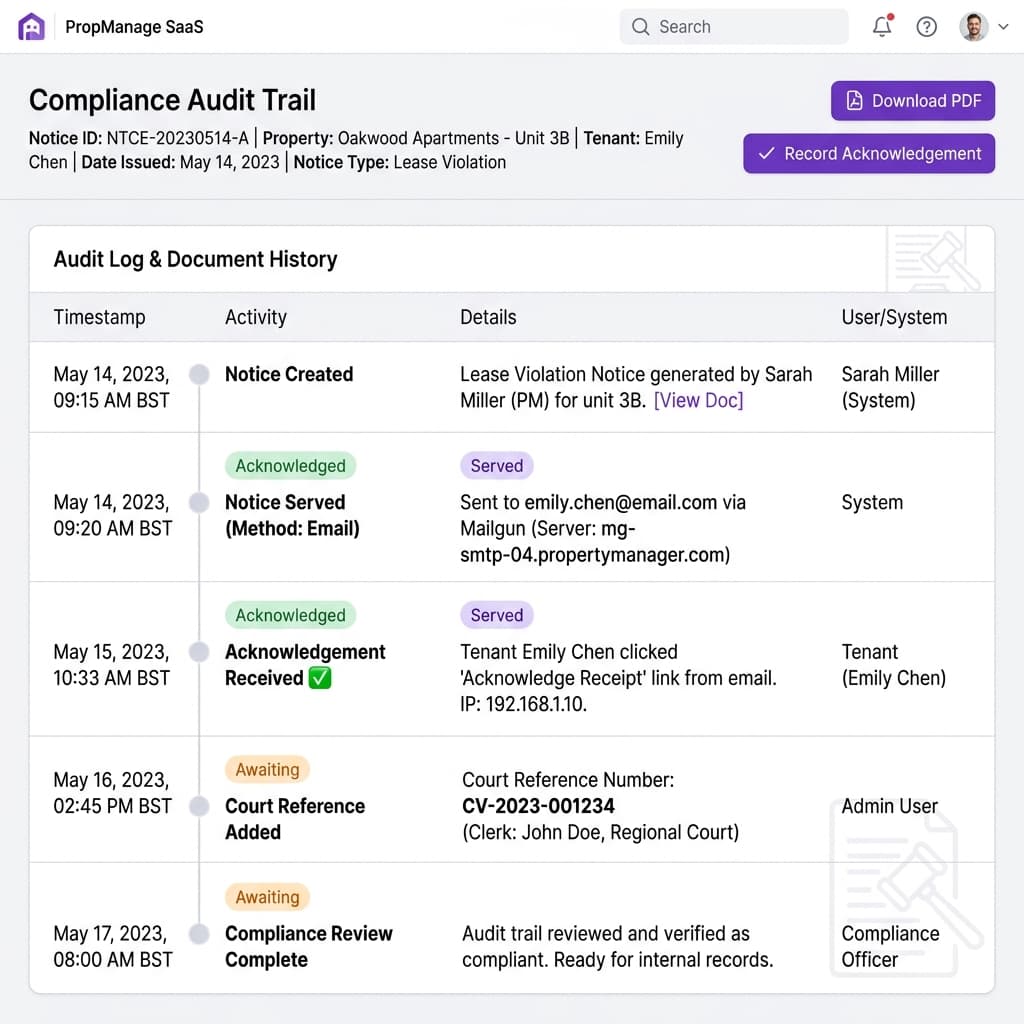
Notice compliance dashboard with acknowledgement tracking and legal audit trail
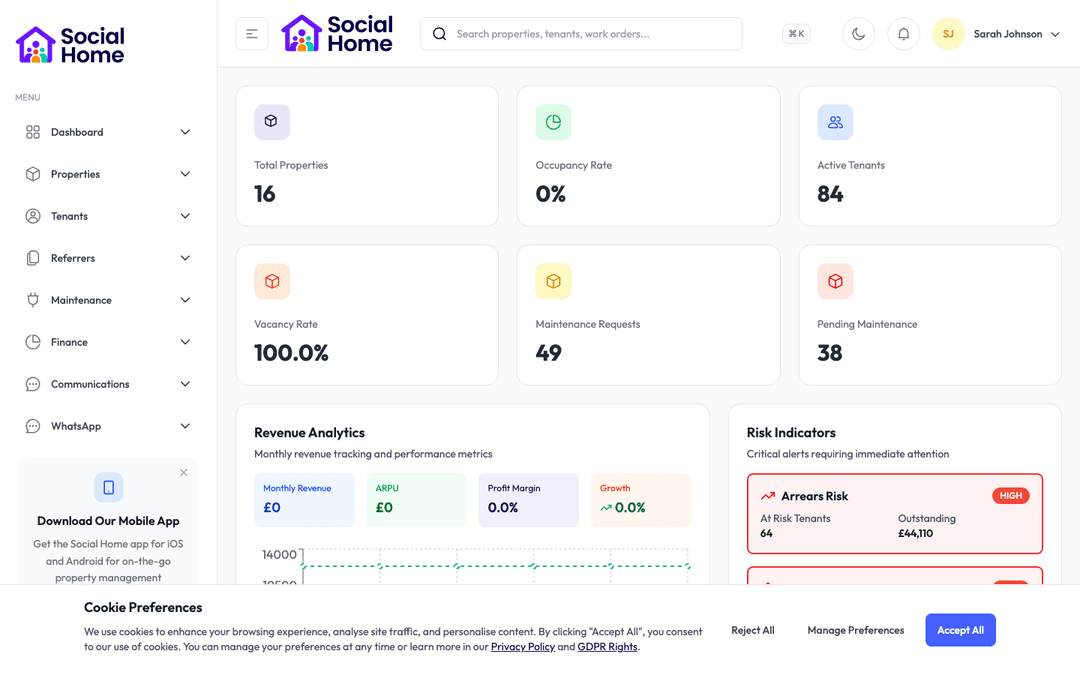
Admin dashboard overview with KPIs and alerts

Customer perspective

“What used to be a two-day round trip of printing and posting is now done before the tenant has left the viewing. The agreements are consistent, the e-signatures are watertight, and nothing ever goes missing.”

Hannah Clarke — Lettings Manager

FAQs

Everything teams ask before they sign

Which tenancy agreement types are supported?

Social Home includes templates for assured shorthold tenancies, HMO room agreements, social housing tenancies, individual and supported-living agreements, and more. Each is pre-populated from your tenant and property records and reflects current UK legislation, so you start from a sound, up-to-date base.

Are the electronic signatures legally valid?

Yes. Agreements are signed through a secure, guided e-signature flow that produces a tamper-evident record of who signed, when, and how. The signed PDF and its audit trail are stored against the tenancy, giving you legally robust evidence without any paper.

Where are signed agreements stored?

Every signed agreement is filed automatically against its tenancy with full version history. That means at renewal, during referencing, or in a dispute, you can retrieve the exact agreement and its signing record in seconds rather than searching inboxes and drives.

How quickly can we get started?

Most teams are up and running within a week. We provide comprehensive onboarding support, including training sessions for your team, data migration assistance, and dedicated support to ensure a smooth transition. You can start using the platform immediately while we help you import your existing data.

What training and support do you provide?

We offer comprehensive training for all team members, including live training sessions, video tutorials, and detailed documentation. Our support team is available via email, phone, and in-app chat. Plus, you'll have access to our knowledge base with step-by-step guides for every feature.

Back to all features →Documents & EvidenceTenant ManagementTenant Notices & Legal Compliance

Ready to Transform Your Tenancy Agreements?

See how tenancy agreements can transform your operations and help you serve your tenants better. Get started with the Social Home platform today.

Book a Free DemoTalk to SalesSee Pricing

See the workflow, discuss your setup, and choose the right plan for your team

Social HomeSocial Home

Making property management simple and accessible for everyone. Find your perfect home or manage your properties with ease.

Stay Updated

Prefer to explore on your own? Browse the platform features →

Rental Services

  • Find rentals
  • Pricing
  • Jobs
  • Contact

Resources & Guides

  • Blog
  • Resources
  • Social Housing Software
  • HMO Compliance Software
  • Exempt Accommodation
  • Supported Housing Software
  • Planning Permissions
  • BRR Calculator
  • Compare Solutions
  • Tenant Portal
  • Landlord Energy
  • Planning Search

Platform Features

  • Feature overview
  • Property management
  • Tenant management
  • Maintenance & repairs
  • Compliance & safeguarding
  • AI insights & automation
  • Mobile workforce app
  • Mobile App
  • Manage Properties
  • Council Partners
  • Success Stories

Terms & Privacy

  • Trust & Safety
  • Terms of Service
  • Privacy Policy
  • GDPR Rights
  • Disclaimer
  • Subscription Terms
  • Request account deletion
  • Social Housing Providers
  • Supported Living
  • Find Work
  • AI Transparency

Get the Social Home app

Download on the App StoreDownload on the App StoreGet it on Google Play

Google Play and the Google Play logo are trademarks of Google LLC.

© 2026 Social Home. All rights reserved.

InstagramLinkedIn
Built by Veya