Social Home
Pricing
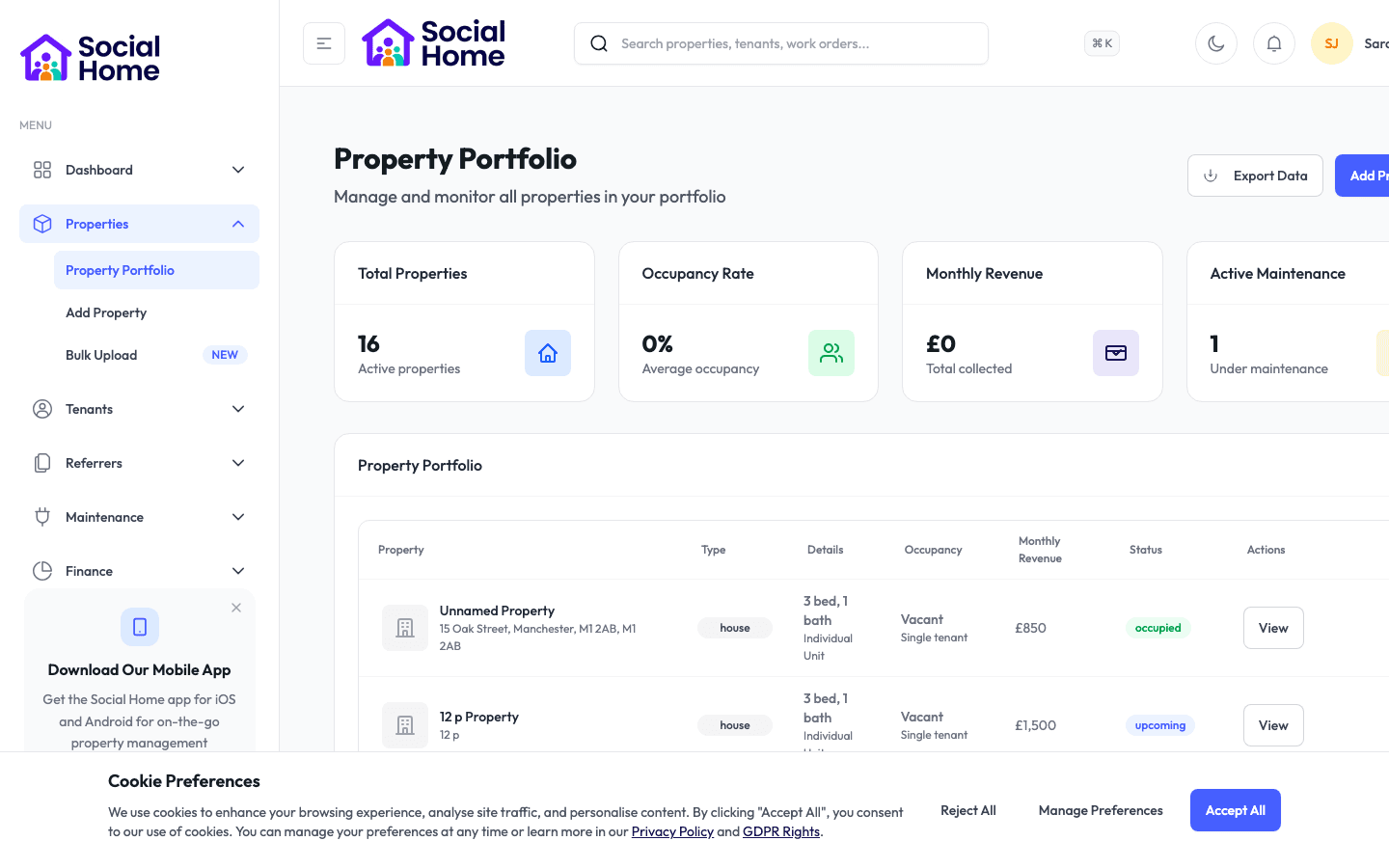
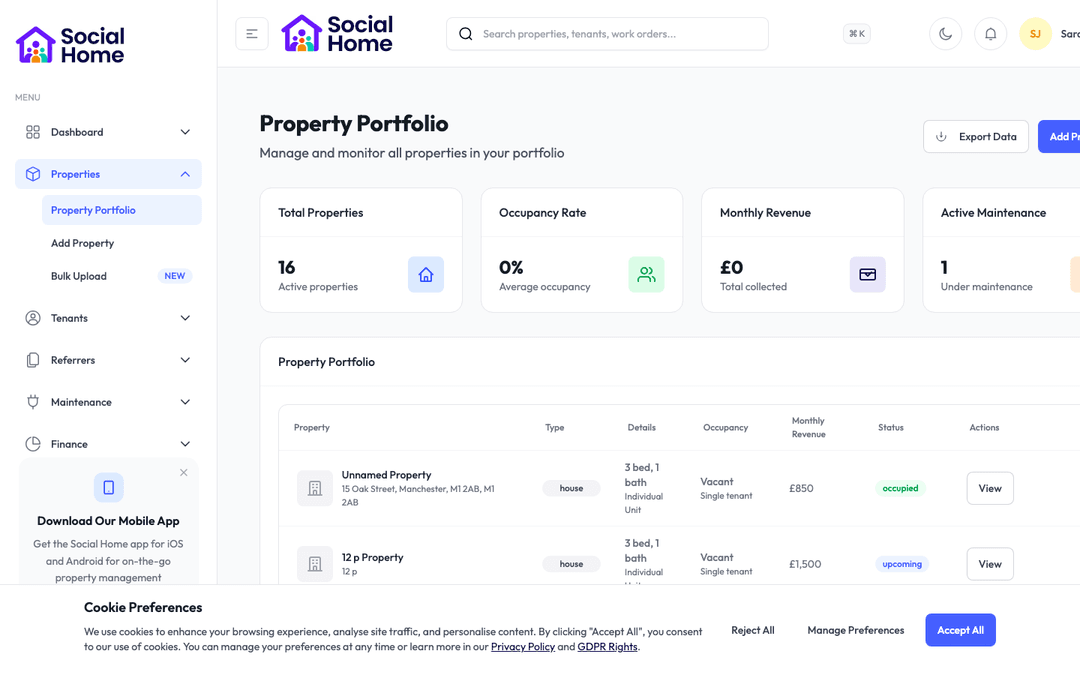
Property portfolio view with occupancy insights

Landlords & property managers

Give every new tenant a five-star welcome—automatically

One beautiful digital guide with everything a resident needs, ready the moment they move in—no paperwork, no handover.

First impressions set the tone for the whole tenancy. Yet most tenants move in to a stack of emails, a dog-eared booklet with the wrong phone number, or nothing at all—then spend their first week phoning you to ask for the Wi-Fi password and the bin day. Social Home's Welcome Pack replaces all of that with one branded digital guide that covers their entire new home: emergency contacts, fire safety, Wi-Fi, house rules, rent details, how their appliances work, and a complete guide to the local area. Much of it fills itself in—point it at the property's postcode and it builds a guide to nearby doctors, pharmacies, supermarkets and bus routes on its own, and it can even write a warm, personalised welcome message for you. Send it as a secure link that needs no login, or let tenants tick their way through it in the app with a progress bar. You will see exactly who has opened theirs, so nothing important slips through the cracks. It is the professional, effortless welcome your tenants deserve, and the end of repetitive move-in admin for you.

See this feature in actionCompare alternatives
12 sections, sent in two clicks

Why teams invest

  • • Give every tenant a polished, branded welcome instantly
  • • Cut repetitive move-in questions to near zero
  • • Prove safety information and house rules were delivered

Available on all devices

Access from your computer: full

Use on your mobile device: full

Your team can work seamlessly whether they're in the office or out in the field. Everything stays in sync automatically, so you always have the latest information at your fingertips.

Pain point

New tenants flood you with the same questions

Every move-in brings the same predictable phone calls and messages—what is the Wi-Fi password, which day are the bins, where is the fuse box, who do I call in an emergency. Answering them one by one, tenant after tenant, quietly eats hours of your week.

  • • Tenants find their own answers the moment they move in
  • • The predictable questions are answered before they are even asked
  • • Free your team from repeating the same information over and over
  • • Wi-Fi, access codes and key details are always a tap away

Pain point

Your welcome looks unprofessional

A printed booklet, a generic hand-me-down with someone else's details, or an in-person handover on move-in day all make a poor first impression—and they are impossible to keep consistent across a growing portfolio.

  • • Every tenant gets a polished, branded pack that reflects your standards
  • • Empty sections hide themselves, so packs never look half-finished
  • • A consistent, premium experience across every property you manage
  • • No paper, and no need to be there in person on move-in day

Pain point

You can't prove tenants got the important information

Fire procedures, safety certificate dates and house rules matter, but with a paper pack you have no idea whether a tenant ever received or read them—leaving a gap exactly where you need certainty.

  • • See at a glance who has opened their pack and who has not
  • • Gently chase anyone who has not viewed theirs yet
  • • A clear record that safety information and rules were delivered
  • • Peace of mind that every tenant has what they need

Key capabilities

What you'll love about this feature

Everything about the home, in one place

A welcome pack pulls twelve sections together into a single guide—key contacts and emergencies, fire safety, Wi-Fi and bills, how the appliances work, bins and recycling, house rules, rent and tenancy basics, a local area guide, and handy extras.

  • • Emergency contacts and out-of-hours numbers front and centre
  • • Fire procedures, assembly point and safety certificate dates
  • • Wi-Fi, house rules, rent details and appliance guides in one guide
  • • Only the sections you fill in appear, so it always looks complete

What this means for you: everything a tenant could need on day one, without a single follow-up call.

A local area guide that writes itself

Point the pack at the property's postcode and it builds a complete guide to the surrounding area—nearby hospitals and doctors, pharmacies, supermarkets, bus and train stops, and community spots—with distances and walking times, all on its own.

  • • Local services populate automatically from the postcode
  • • Health, transport, shopping and community all covered
  • • A warm, personalised welcome message written for you in seconds
  • • Refresh it any time to keep the information current

What this means for you: a genuinely helpful local guide, without spending an afternoon researching the neighbourhood.

Delivered how tenants want it, always up to date

Send the pack as a secure link that needs no login, let tenants work through it in the app with a saved progress bar, or hand over a printable version. Update it after sending and the tenant always sees the latest version.

  • • A secure emailed link—no account or password required
  • • An in-app version tenants tick through, with progress that saves itself
  • • A downloadable, printable copy when a paper version is needed
  • • Edit once and every tenant instantly sees the current version

Time-saving benefits

The pack that builds itself

Social Home does the heavy lifting—pulling in the property's details, generating the local area guide, and even drafting the welcome message—so a complete, professional pack is ready in a couple of clicks.

  • • Contacts, Wi-Fi, rent and house rules populate from the property record
  • • The local area guide generates automatically from the postcode
  • • A personalised welcome message drafted for you to tweak and send
  • • Pre-built templates for HMOs, studios, short-lets and supported housing

Real-world scenarios

See how this works in practice

Scenario: two tenants moving into a shared house

You have just moved two new tenants into a five-bed HMO. You open the property's welcome pack, generate the local area guide from the postcode, preview it, then send it to both tenants in a couple of clicks. Within the hour one has opened theirs. The other has not, so the next morning you resend with a single click—same secure link, fresh email.

  • • A complete pack sent to a whole house in minutes
  • • See exactly who has and has not opened theirs
  • • Chase the stragglers with one click, no awkward phone call

Scenario: a first-time landlord onboarding one tenant

You add your contact details, a handful of house rules, and set quiet hours, then let the system draft a warm welcome message that mentions the property by name. Your new tenant logs into the app, taps to reveal the Wi-Fi password and door code, works through each section ticking them off, watches the progress bar climb, and reaches the end without a single phone call.

  • • A professional welcome even for your very first tenant
  • • Tenants self-serve the details they used to ask you for
  • • No paperwork and no move-in-day handover required

See it in action

Real screenshots from Social Home

These screenshots show exactly what you'll see when you use this feature. Every detail is designed to make your work easier and more efficient.

Property portfolio view with occupancy insights
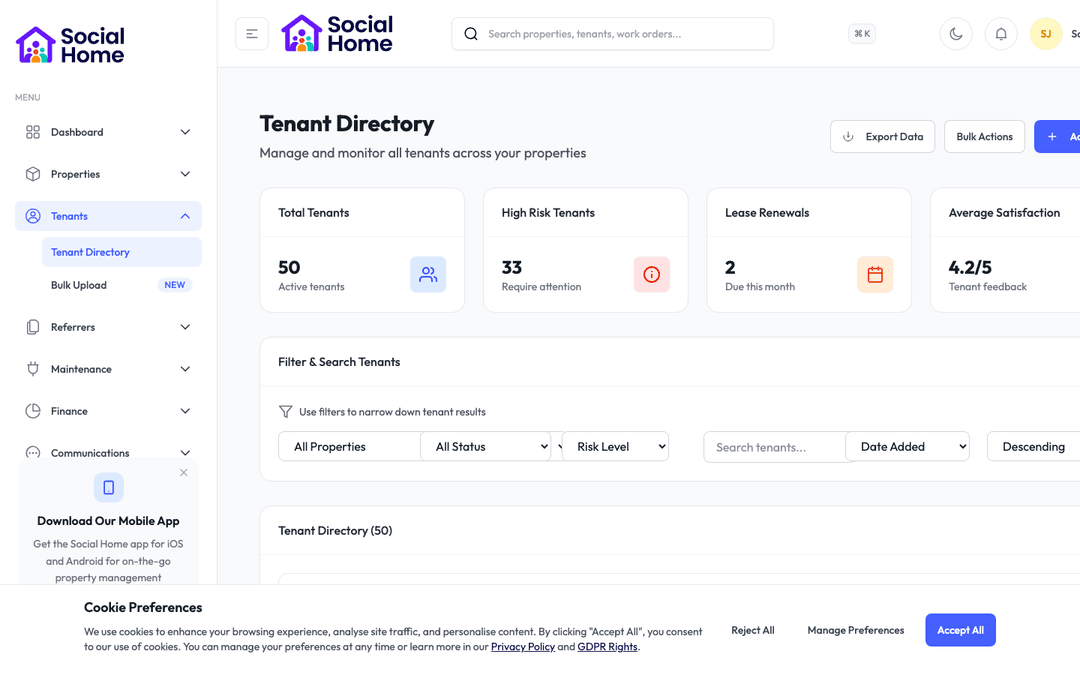
Tenant 360 with risk and arrears context
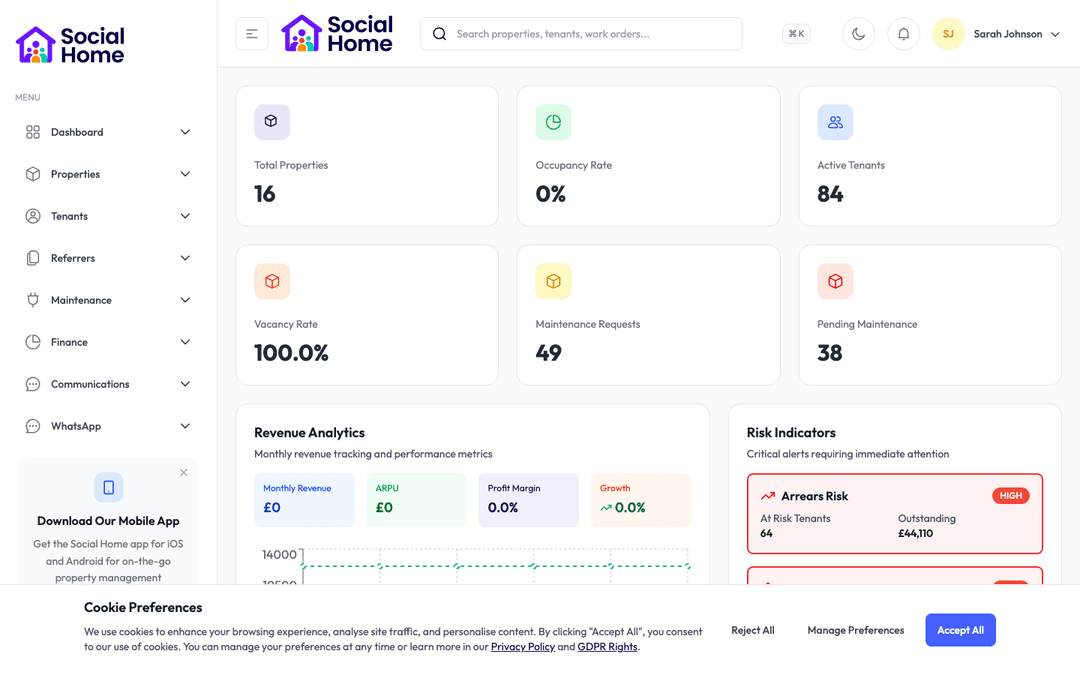
Admin dashboard overview with KPIs and alerts

Customer perspective

“Move-in week used to be non-stop calls asking for the Wi-Fi and the bin day. Now every tenant gets a beautiful pack the moment they arrive, and the questions have all but stopped. It makes us look far more professional than we used to.”

Sarah Johnson — Property Manager

FAQs

Everything teams ask before they sign

What actually goes into a welcome pack?

A pack is built from twelve sections covering the whole home: key contacts and emergencies, property basics, fire safety, Wi-Fi and bills, how things work in the home, bins and recycling, house rules, a local area guide, rent and tenancy basics, how to use the app, complaints and safeguarding, and handy extras. You fill in what is relevant, and any section you leave blank is automatically hidden, so the pack always looks polished.

Do tenants need an account to view their pack?

No. You can send a welcome pack as a secure link that opens straight away, with no login or password needed—ideal for a tenant on move-in day. Tenants who prefer to can also view it inside the app, where they get a progress bar and can tick off each section as they read it, with their progress saved automatically.

Can I use it for different types of property?

Yes. There are ready-made templates for HMOs, studios, short-lets and supported housing, each pre-filled with the fields that type of property usually needs. That gives you a professional starting point in seconds, which you can then tailor to the specific home before sending.

How quickly can we get started?

Most teams are up and running within a week. We provide comprehensive onboarding support, including training sessions for your team, data migration assistance, and dedicated support to ensure a smooth transition. You can start using the platform immediately while we help you import your existing data.

Back to all features →Move-In Checklist & InventoryHouse RulesAccess Codes

Ready to Transform Your Welcome Pack?

See how welcome pack can transform your operations and help you serve your tenants better. Get started with the Social Home platform today.

Book a Free DemoTalk to SalesSee Pricing

See the workflow, discuss your setup, and choose the right plan for your team

Social HomeSocial Home

Making property management simple and accessible for everyone. Find your perfect home or manage your properties with ease.

Stay Updated

Prefer to explore on your own? Browse the platform features →

Rental Services

  • Find rentals
  • Pricing
  • Jobs
  • Contact

Resources & Guides

  • Blog
  • Resources
  • Social Housing Software
  • HMO Compliance Software
  • Exempt Accommodation
  • Supported Housing Software
  • Planning Permissions
  • BRR Calculator
  • Compare Solutions
  • Tenant Portal
  • Landlord Energy
  • Planning Search

Platform Features

  • Feature overview
  • Property management
  • Tenant management
  • Maintenance & repairs
  • Compliance & safeguarding
  • AI insights & automation
  • Mobile workforce app
  • Mobile App
  • Manage Properties
  • Council Partners
  • Success Stories

Terms & Privacy

  • Trust & Safety
  • Terms of Service
  • Privacy Policy
  • GDPR Rights
  • Disclaimer
  • Subscription Terms
  • Request account deletion
  • Social Housing Providers
  • Supported Living
  • Find Work
  • AI Transparency

Get the Social Home app

Download on the App StoreDownload on the App StoreGet it on Google Play

Google Play and the Google Play logo are trademarks of Google LLC.

© 2026 Social Home. All rights reserved.

InstagramLinkedIn
Built by Veya