Social Home
Pricing
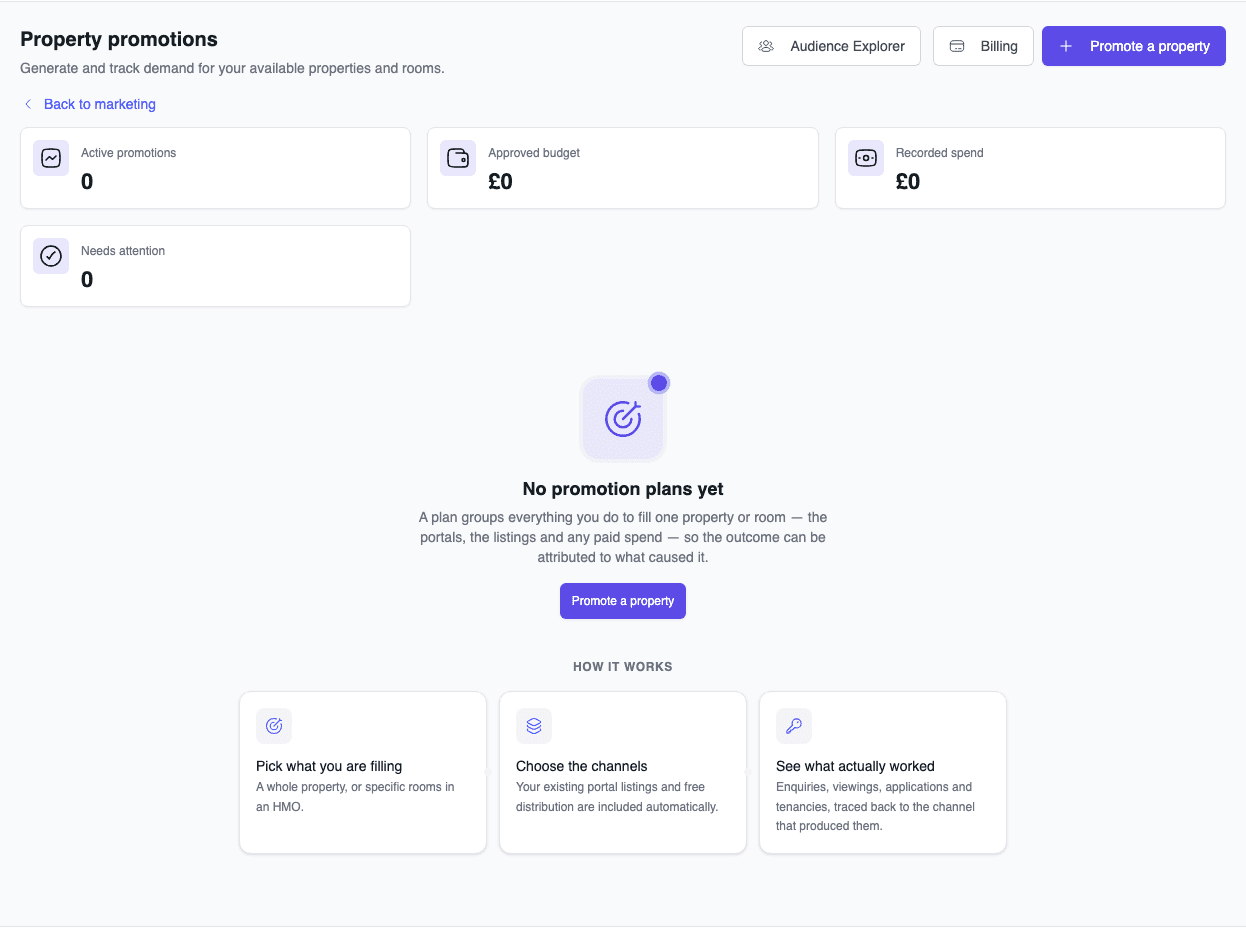
Property Promotions dashboard showing zero active plans and guidance for launching the first campaign

Housing providers & property managers

Plan and track property promotion from one clear workspace

Create an outcome-led promotion plan, review available channels, authorise the budget, and follow delivery status without rebuilding the same campaign in separate tools.

Property Promotions brings campaign planning, audience choices, channel availability, approvals, and spend records into one workflow. Select the property or rooms, describe the outcome you need, review the proposed channel mix, and confirm the quoted budget before any paid delivery begins. Supported delivery routes can then be followed from the plan, while unavailable or incomplete routes remain visible and are not billed.

See this feature in actionCompare alternatives
Outcome-led promotion planning

Why teams invest

  • • Plan property promotion around a vacancy outcome
  • • Review portal and paid-media channels in one workspace
  • • Reduce repetitive campaign setup and status checking
  • • Keep budget approval, delivery status, and spend reconciliation together

Available on all devices

Access from your computer: full

Use on your mobile device: partial

Your team can work seamlessly whether they're in the office or out in the field. Everything stays in sync automatically, so you always have the latest information at your fingertips.

Pain point

Manual multi-portal advertising drains hours every week

Copying descriptions, photos, and tenancy rules between different advertising portals is tedious, slow, and prone to mistakes. When rent prices change or a room is filled, updating every platform manually takes hours you simply do not have.

  • • Build a promotion plan from one central dashboard
  • • Reuse property details when preparing supported channel activity
  • • Reduce repetitive campaign setup and status checking
  • • Free your team to conduct viewings and look after tenants
Pain point

Unpredictable void periods quietly destroy your rental yield

Empty rooms eat away at your annual profits faster than repairs or maintenance. When you rely on only one listing site, enquiries quickly plateau, leaving rooms unoccupied for weeks between tenancies.

  • • Review several portal and paid-media options in one plan
  • • Choose targeting around the property and intended audience
  • • Target motivated movers actively searching in your exact postcode
  • • Track enquiries and tenancy outcomes where evidence is available

Pain point

Uncontrolled ad spend burns money with no clear return

Running independent ads on search engines and social platforms often feels like tossing cash into a black hole. Without clear tracking, it is impossible to know which channels actually brought in genuine tenant viewings.

  • • Review the media budget, management fee, and tax before authorising payment
  • • Compare authorised amounts with reconciled spend in the campaign ledger
  • • Pause active delivery when a room no longer needs promotion
  • • Connect enquiries and tenancy outcomes to channels when attribution data exists

Key capabilities

What you'll love about this feature

One-click multi-channel distribution

Select the rooms you need to fill, define the campaign outcome, and review portal and paid-media channels in one plan. Delivery depends on each channel's configured route and readiness; channels without a route remain recorded but are not billed.

  • • One plan can show Zoopla, SpareRoom, Google, Meta, YouTube, and other configured placements
  • • Audience controls support location, intent, interests, and selected placements
  • • Channel readiness is visible before paid delivery is requested
  • • Plan status and channel outcomes stay together for review

What this means for you: campaign decisions and delivery evidence are easier to review without treating every listed channel as automatically available.

Intelligent creative refresh and fatigue protection

Online adverts lose impact when the same renters see them for weeks on end. Social Home actively monitors your campaign's age and enquiry velocity, alerting you when it is time to refresh photos, rotate keywords, or update video placements.

  • • Early-warning prompts notify you when campaign engagement begins to dip
  • • Freshness checks identify campaigns that may need review
  • • Creative and targeting choices can be revised from the promotion workflow
  • • Gentle notification cooldowns ensure your inbox stays clear of clutter

What this means for you: ageing campaigns are easier to identify and review before further spend is authorised.

Complete financial transparency with an itemised ledger

Review the quoted media budget, management fee, and taxes before approval, then compare authorised amounts with spend records returned by available delivery providers.

  • • Itemised cost quotes are shown before payment authorisation
  • • Ledger entries distinguish authorised budget from reconciled spend
  • • Campaign billing status remains visible alongside delivery status
  • • Unavailable delivery routes are recorded without creating a media charge

What this means for you: the amount approved, charged, and reconciled can be reviewed without relying on an unsupported performance promise.

Time-saving benefits

Coordinate promotion planning, delivery, and review in one workflow

Social Home connects property selection, audience planning, budget approval, channel delivery, and outcome tracking. Automation runs only where the relevant route and provider are configured, with manual review available when delivery is incomplete or inconclusive.

  • • Property and room context carries into the promotion setup flow
  • • Freshness monitoring highlights campaigns that may need attention
  • • Budget and spend records support later reconciliation
  • • Campaign controls provide a clear path to pause delivery when circumstances change

Real-world scenarios

See how this works in practice

Scenario: Rapid HMO room turnaround

A tenant gives one month's notice on Room 3. You start a promotion plan from the property, select the target move-in date, review the proposed channels, and authorise the budget. Available delivery routes can then be followed from the plan, with enquiries and later tenancy outcomes recorded as evidence arrives.

  • • Property context is reused during campaign setup
  • • Channel availability and budget approval are explicit
  • • Delivery can be paused when the room no longer needs promotion

Scenario: Seasonal student let pre-fill

You manage student cluster flats that need promotion ahead of the autumn term. You prepare a coordinated plan using search intent and selected placements, then monitor recorded delivery and enquiry signals throughout the summer. Freshness prompts help the team decide when imagery or targeting needs review.

  • • Reach students and parents on the platforms they use most
  • • Consistent enquiry stream throughout the competitive summer rush
  • • A repeatable workflow for reviewing progress before the academic term

Scenario: Professional let with strict budget caps

You are marketing a newly refurbished two-bedroom apartment with a strict £150 allowance. You review the proposed channel allocation and itemised charges before authorising payment, then compare the approved amount with delivery and spend records returned by the providers.

  • • A clear approval boundary before paid delivery
  • • Itemised reporting for landlord and finance review
  • • Recorded channel outcomes support future allocation decisions

See it in action

Real screenshots from Social Home

These screenshots show exactly what you'll see when you use this feature. Every detail is designed to make your work easier and more efficient.

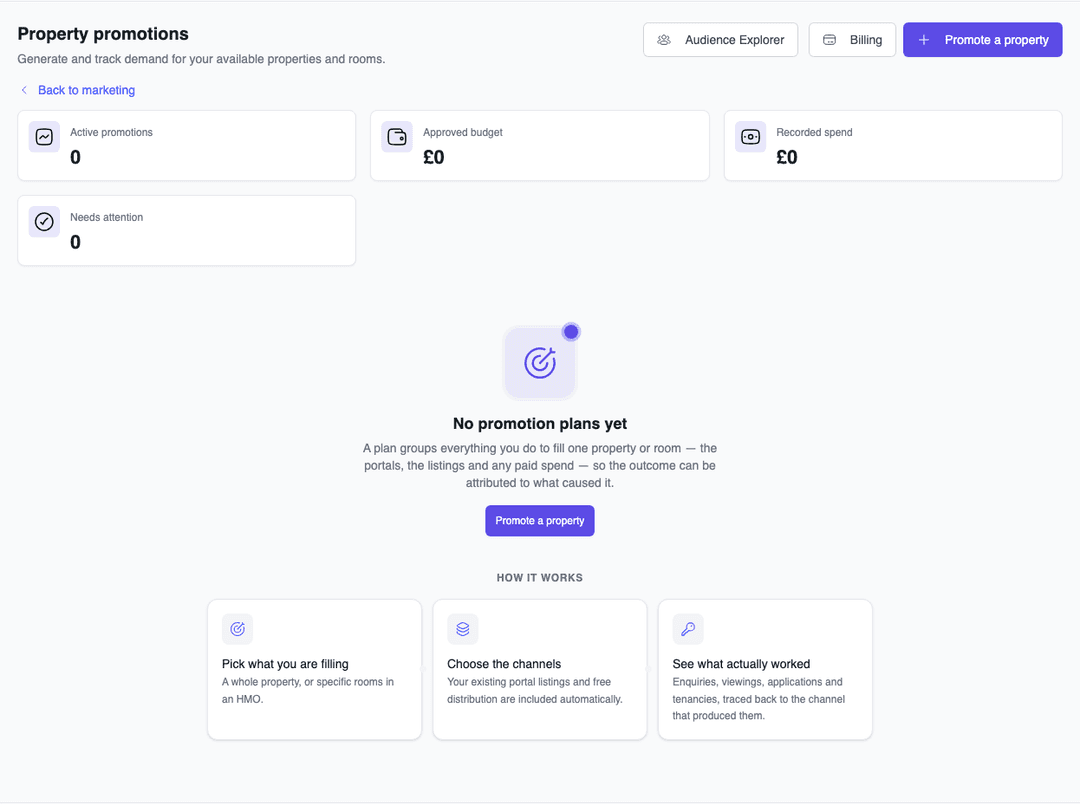
Property Promotions dashboard showing zero active plans and guidance for launching the first campaign
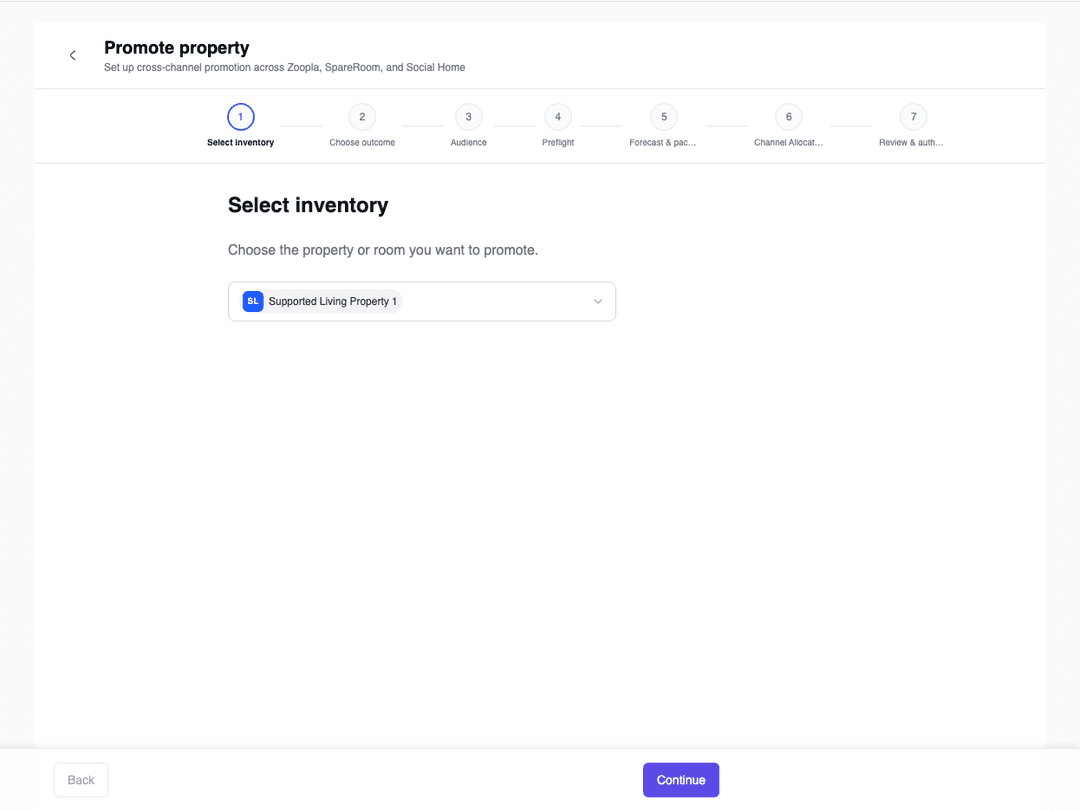
Promotion setup wizard at the inventory selection step
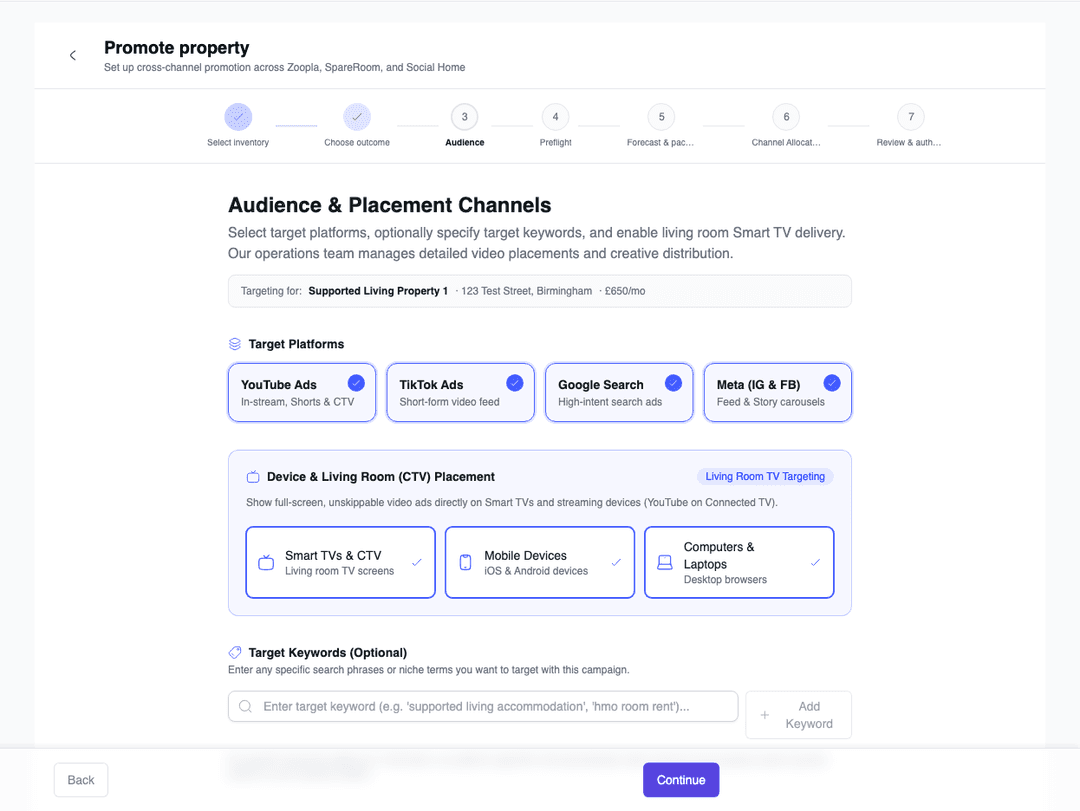
Promotion audience step with YouTube, TikTok, Google, Meta, and Connected TV placement controls
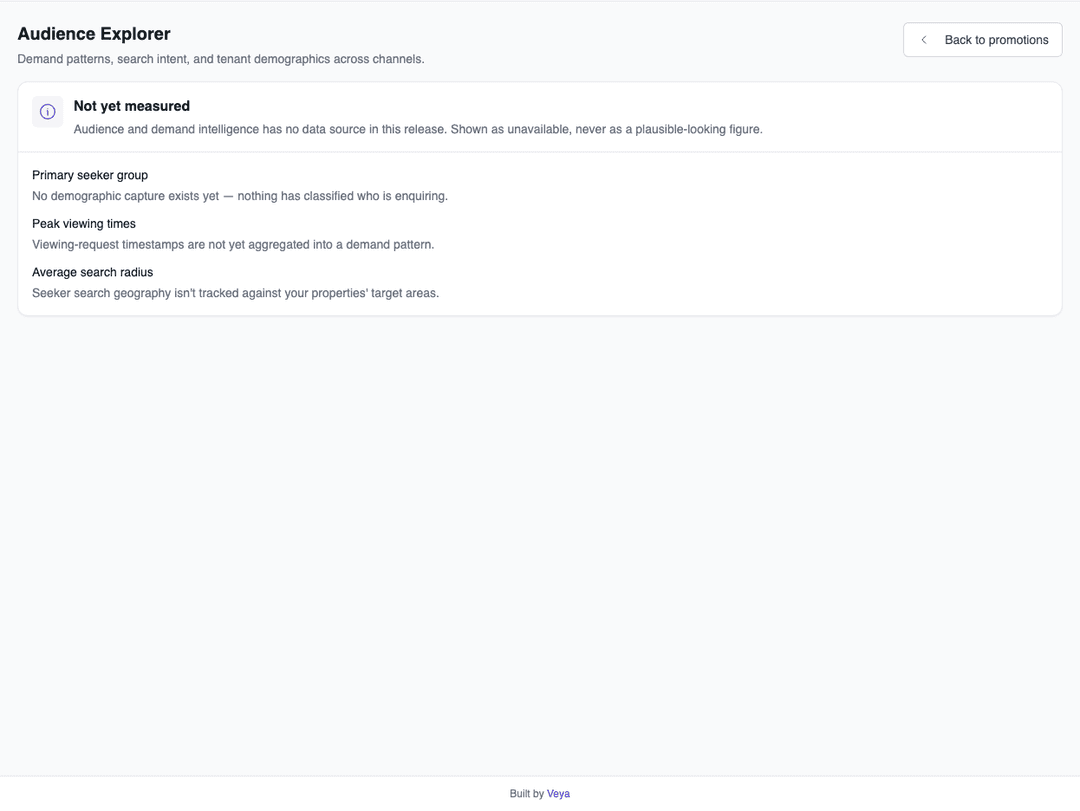
Audience explorer and custom search keyword intent targeting
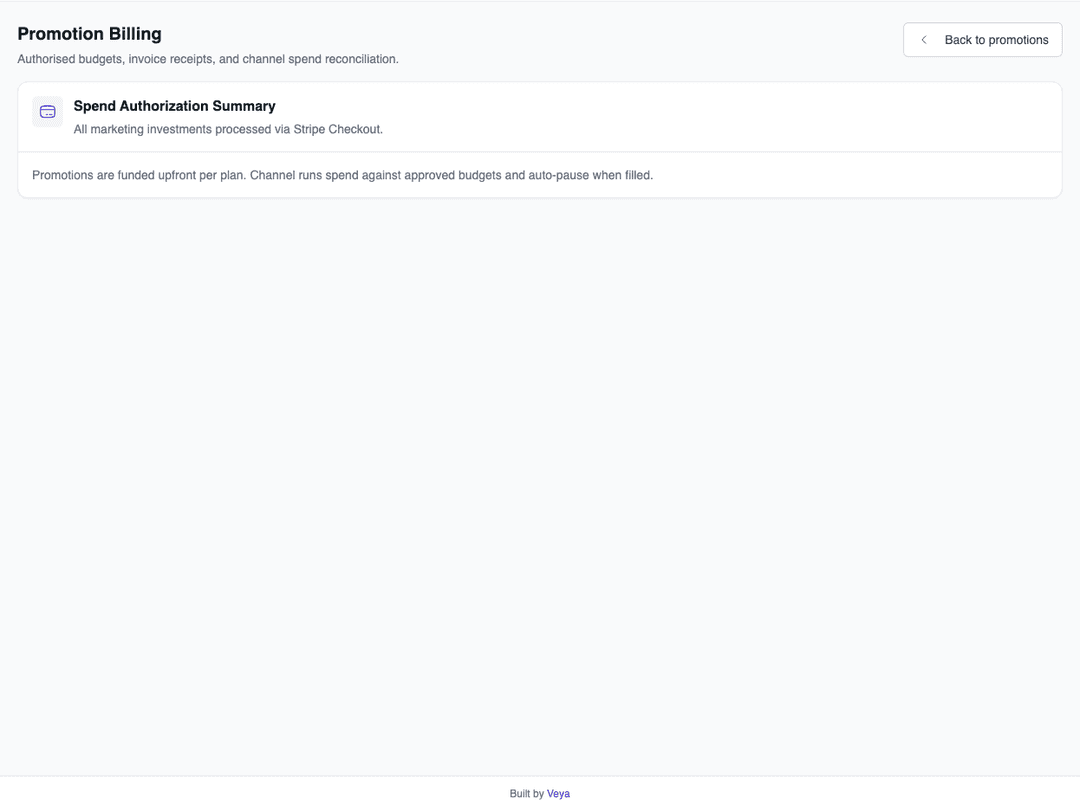
Promotion billing overview explaining authorised budgets and channel spend reconciliation

Product principle

“A promotion plan should make the objective, approved budget, channel readiness, and observed outcomes clear before the next decision is made.”

Illustrative workflow principle — Property Promotions

FAQs

Everything teams ask before they sign

Which advertising channels can I promote my properties on?

A promotion plan can include Zoopla, SpareRoom, Google, Meta, YouTube, and other configured placements. Availability and delivery differ by channel and account configuration; the plan shows channel readiness, and a channel without an active delivery route is not billed.

How does the campaign budget work, and are there hidden fees?

When creating a campaign, you specify the authorised budget. Social Home shows the proposed media outlay, management fee, and applicable taxes before payment authorisation. The campaign ledger then distinguishes approved amounts from provider spend as reconciliation data becomes available.

What is Creative Refresh and how does it help my listings?

Ad fatigue can occur when the same advert runs for too long. Social Home records campaign age and available engagement signals, then uses freshness prompts to help you decide whether photos, keywords, or placements need review.

Can I pause or stop a promotion early if my room is filled?

You can pause or stop a promotion from its controls. Any automatic pause behaviour depends on the configured channel route and the tenancy or holding-deposit event being available to the promotion workflow, so you should confirm the resulting channel status in the plan.

How quickly can we get started?

Most teams are up and running within a week. We provide comprehensive onboarding support, including training sessions for your team, data migration assistance, and dedicated support to ensure a smooth transition. You can start using the platform immediately while we help you import your existing data.

Back to all features →Property ManagementHMO ManagementShort-Let ManagementAnalytics & Tracking

Ready to Transform Your Property Promotions?

See how property promotions can transform your operations and help you serve your tenants better. Get started with the Social Home platform today.

Book a Free DemoTalk to SalesSee Pricing

See the workflow, discuss your setup, and choose the right plan for your team

Social HomeSocial Home

Making property management simple and accessible for everyone. Find your perfect home or manage your properties with ease.

Stay Updated

Prefer to explore on your own? Browse the platform features →

Rental Services

  • Find rentals
  • Pricing
  • Jobs
  • Contact

Resources & Guides

  • Blog
  • Resources
  • Social Housing Software
  • HMO Compliance Software
  • Exempt Accommodation
  • Supported Housing Software
  • Planning Permissions
  • BRR Calculator
  • Compare Solutions
  • Tenant Portal
  • Landlord Energy
  • Planning Search

Platform Features

  • Feature overview
  • Property management
  • Tenant management
  • Maintenance & repairs
  • Compliance & safeguarding
  • AI insights & automation
  • Mobile workforce app
  • Mobile App
  • Manage Properties
  • Council Partners
  • Success Stories

Terms & Privacy

  • Trust & Safety
  • Terms of Service
  • Privacy Policy
  • GDPR Rights
  • Disclaimer
  • Subscription Terms
  • Request account deletion
  • Social Housing Providers
  • Supported Living
  • Find Work
  • AI Transparency

Get the Social Home app

Download on the App StoreDownload on the App StoreGet it on Google Play

Google Play and the Google Play logo are trademarks of Google LLC.

© 2026 Social Home. All rights reserved.

InstagramLinkedIn
Built by Veya